
Sending Data From Shopify
1. Install the app
Install the Angler AI Shopify App and follow on screen instructions to login and setup your account:
https://apps.shopify.com/angler-ai-app
2. Set Angler Pixel to Always On
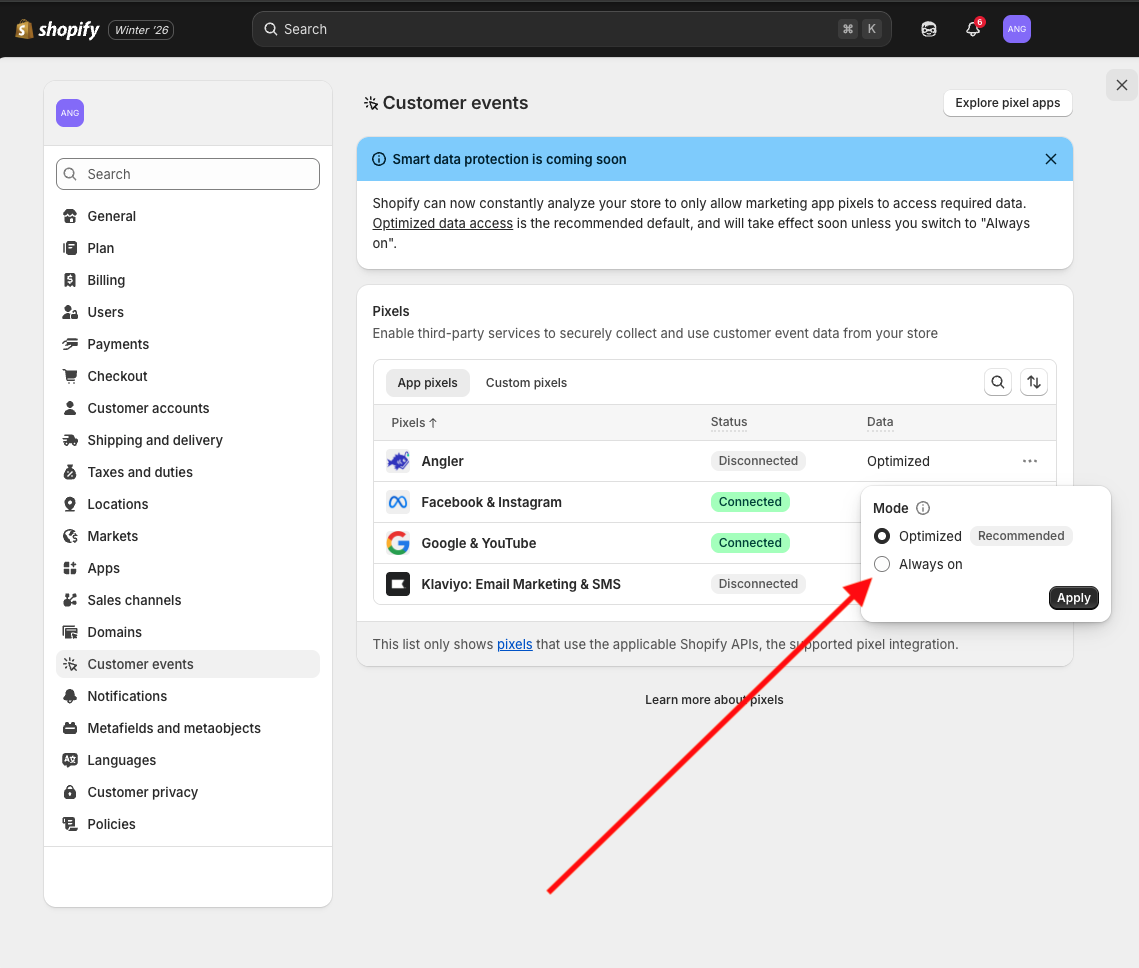
Once the app is installed, you would need to set the data mode for the Angler AI pixel to "Always on" to ensure the data flows through without interruption. To do this,
-
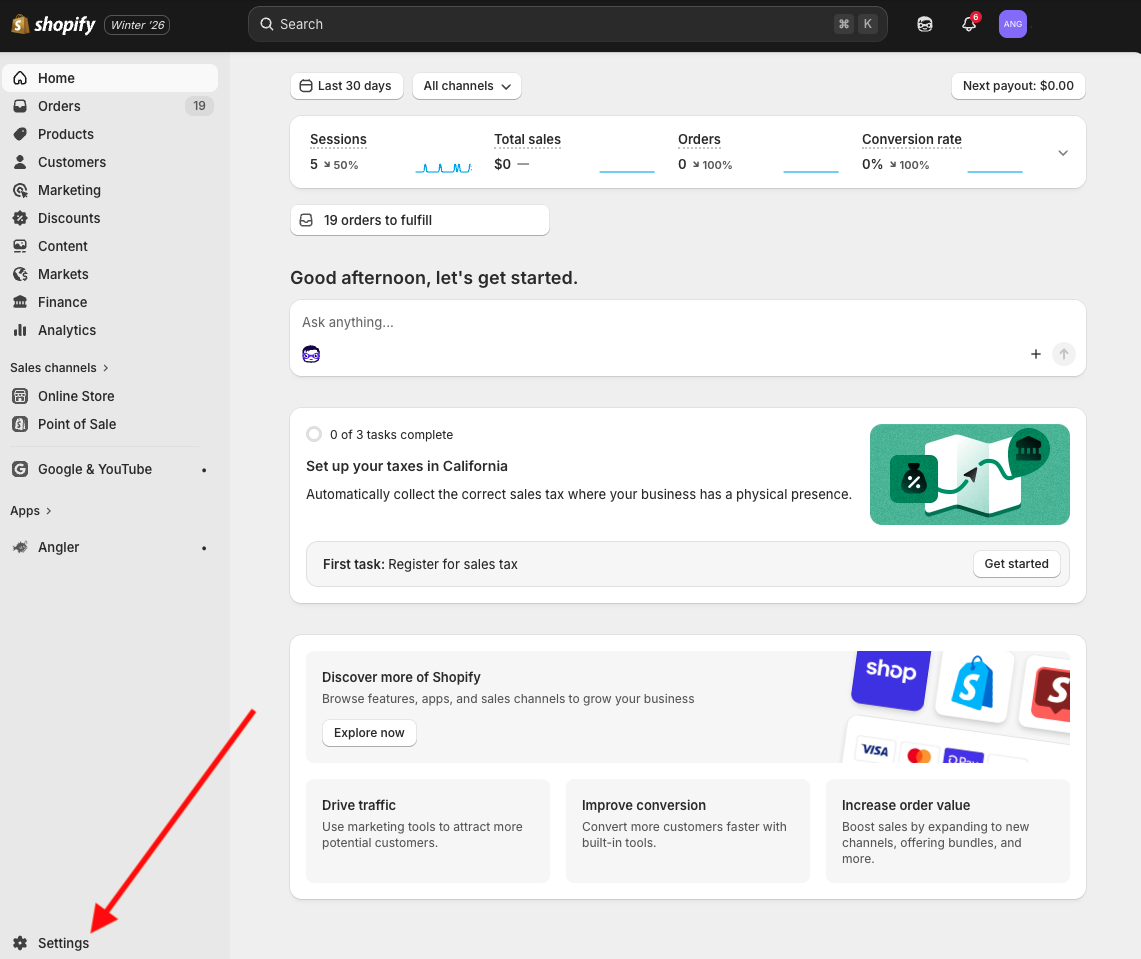
Go to Settings -> Customer Events
-
Find the Angler pixel and change the data mode to "Always on" and click "Apply"
Updated 9 months ago
Did this page help you?