
Connecting Your Product Catalog to Your Angler Events Dataset
A step-by-step guide for connecting your Meta product catalog inside Events Manager
Connecting your own product catalog to your Angler events dataset lets the Foundation Ad Model tie the catalog you already use for your ads to the events we process — so your catalog- and commerce-based campaigns receive richer, auction-ready signals. This should be done no sooner than the day before the test kicks off to limit possible over-attribution in the ad account.
Before you startYou'll need admin or partner access to the Meta Business account that holds your Angler events dataset, and a product catalog already created in Commerce Manager. All screenshots below use placeholder names and IDs.
Step 1 · Open your Angler events dataset
- Go to Meta Events Manager and select your Angler events dataset (labeled "Angler Events") from your list of data sources.
- On the right-hand panel of the Overview tab, find the Catalogs row. If nothing is connected yet it will read "No connected catalogs." Click Manage status directly beneath it.
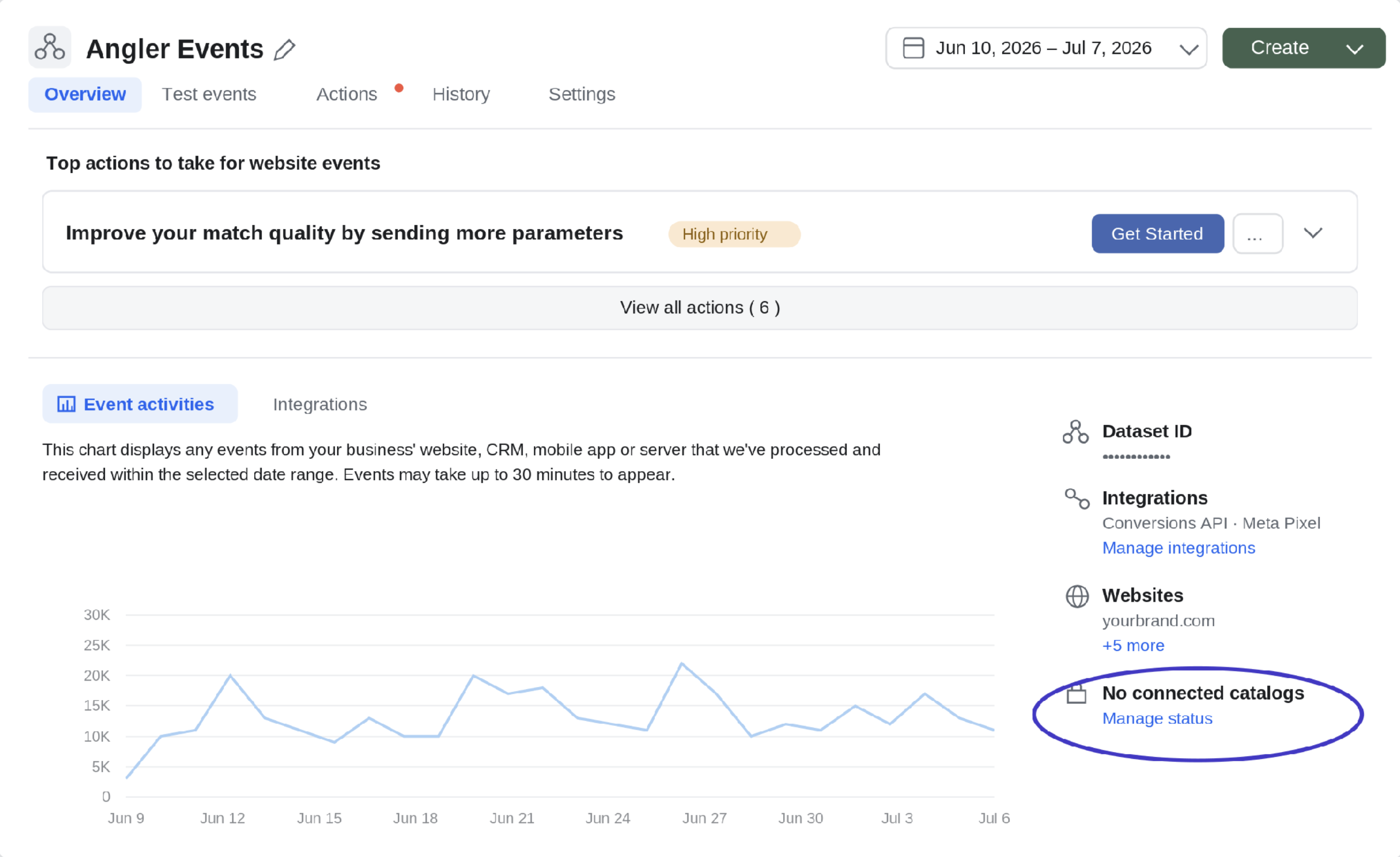
The Overview tab. Under the right-hand panel, click “Manage status” beneath “No connected catalogs.”
Step 2 · Open the Connect Catalog window
- The Connect Catalog window opens, listing the catalogs available to connect. Find the product catalog your business already uses for its ads and select it.
- Tip: click the catalog name to view its connection status and content-ID match rate in Commerce Manager.
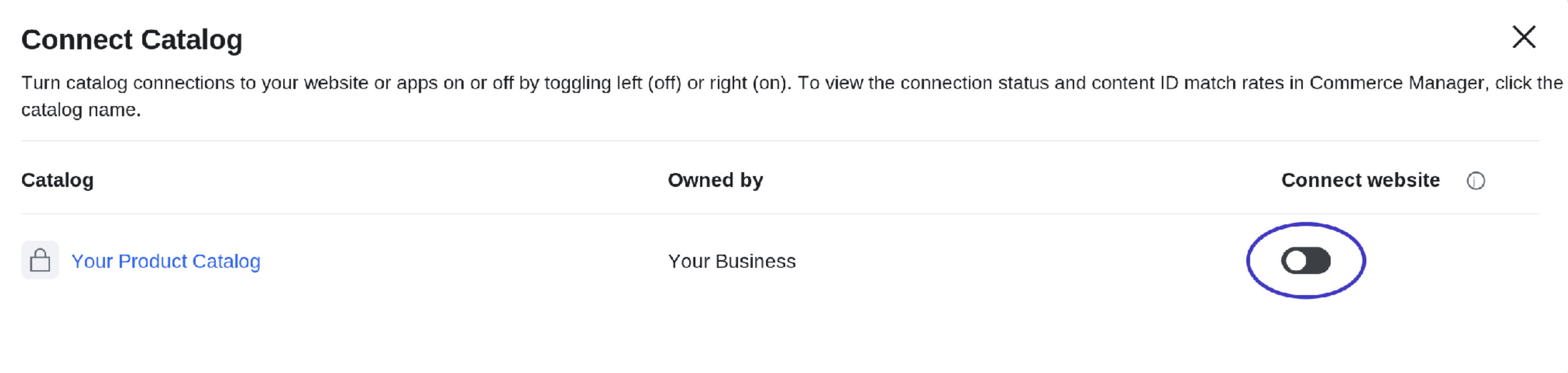
The Connect Catalog window. Find your own product catalog in the list before connecting.
Step 3 · Turn the connection on
- In the Connect website column on the right, toggle the switch to the right (on). Left is off; right is on.
- Close the window. The right-hand panel will now show your connected catalog instead of "No connected catalogs." Content-ID match rates can take a short while to populate.
Step 4 · Confirm with the Angler team
- Once the catalog shows as connected, take a screenshot of the dataset panel and send it to your Angler team so we can verify the connection on our side.
Updated 2 months ago