
Create API Access Tokens
API tokens needed to implement Angler front-end tags and sending events through Angler Data API
Scope
The Angler AI web application provides self-service tools for creating API access tokens required to implement Angler frontend tags and/or send backend events via the Angler Data API.
This guide walks you step by step through the process of generating the required API token(s).
Create API Tokens for Angler Data API (Backend Events Integration)
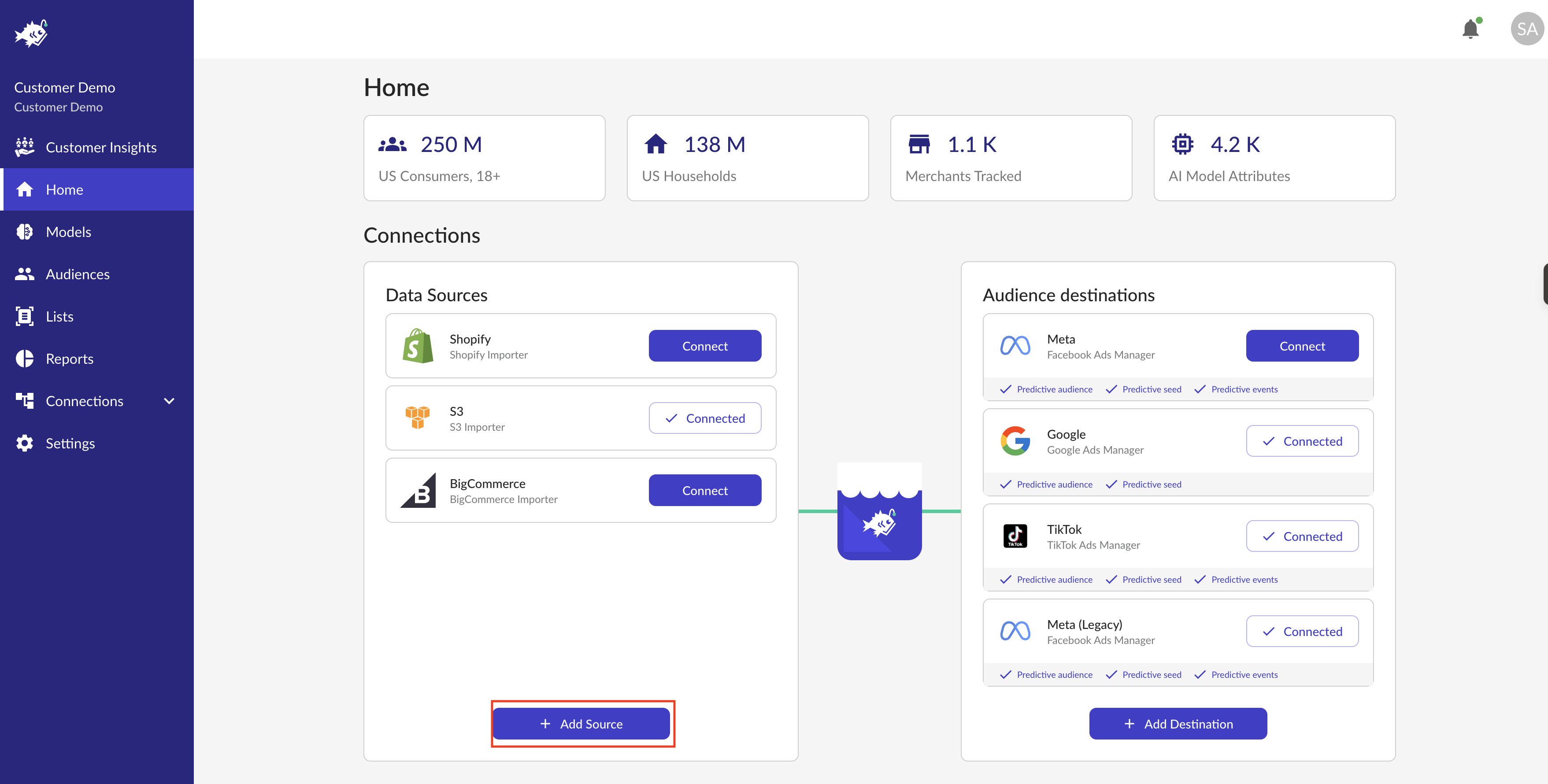
Log into your Angler AI web app and click on + Add Source
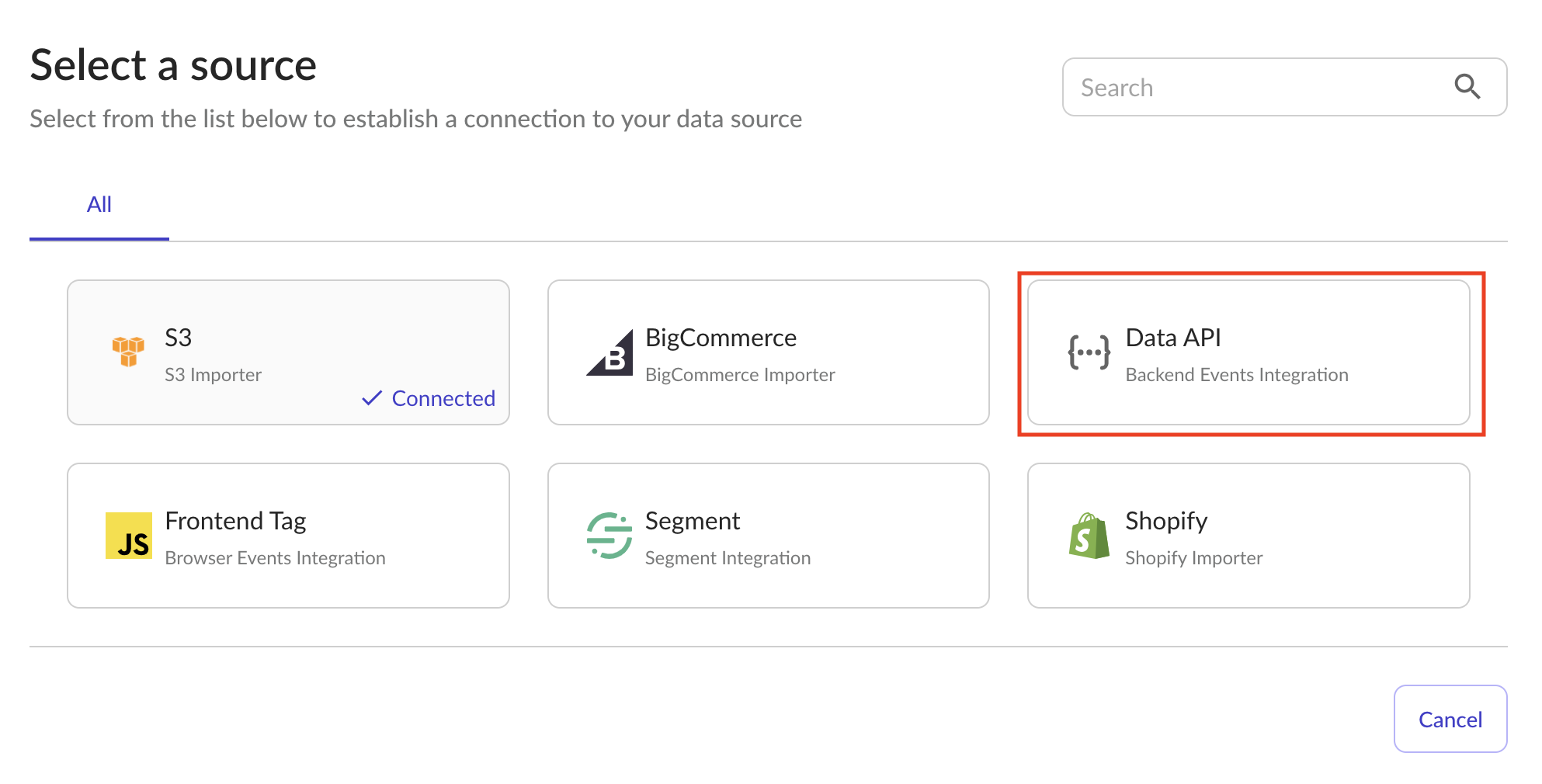
Click on the Data API Backend Events Integration button and click the create button on the popup window. This will generate a new Angler AI API access token. The token will be shown on the next screen only once, so make sure to copy and save it.

Create API Token for Angler Frontend Tag (Browser Events Integration)
Log into your Angler AI web app and click on + Add Source
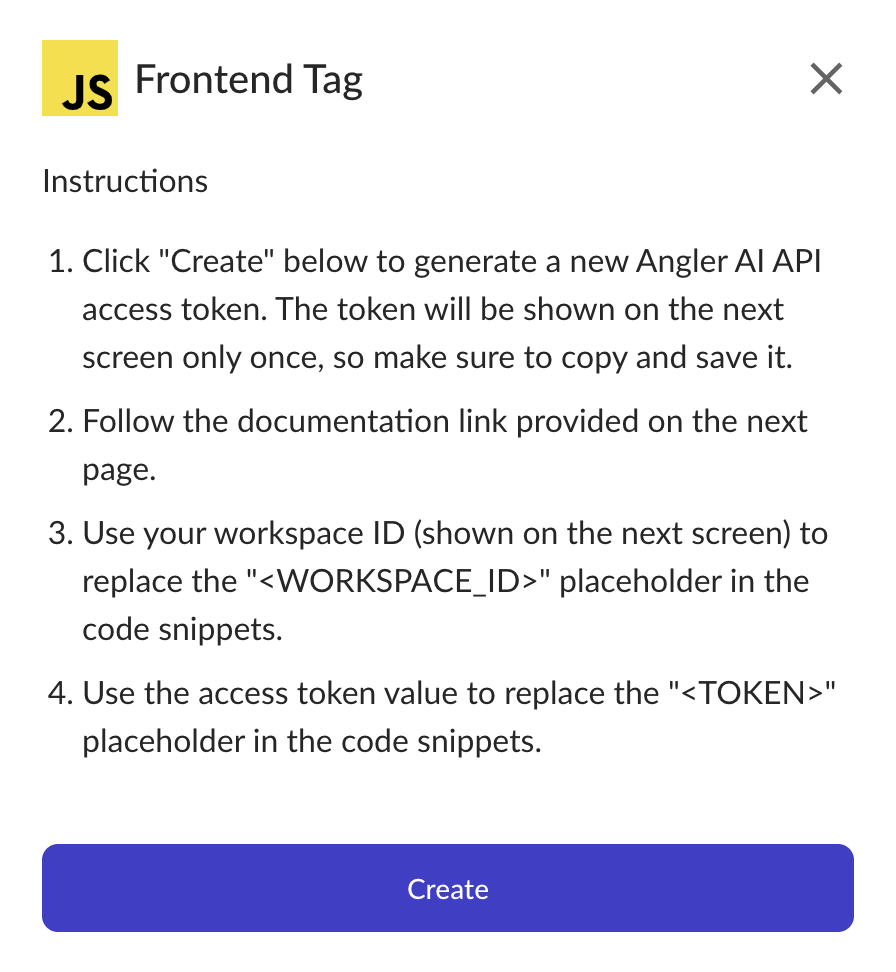
Click on the Frontend Tag Browser Events Integration button and click the create button on the popup window. This will generate a new Angler AI API access token. The token will be shown on the next screen only once, so make sure to copy and save it.

Updated 10 months ago