
Connecting Angler to Pinterest
Manual steps for enabling Angler to send Predictive CAPI events to Pinterest
You’ll need a Pinterest Business account to access the Pinterest Conversions API.
Once you have your business account you’ll need to generate an access token. An access token is a string of characters that verifies the requests are being made and sent back to the correct user’s account.
To generate an access token:
-
Login to your Pinterest business account .
-
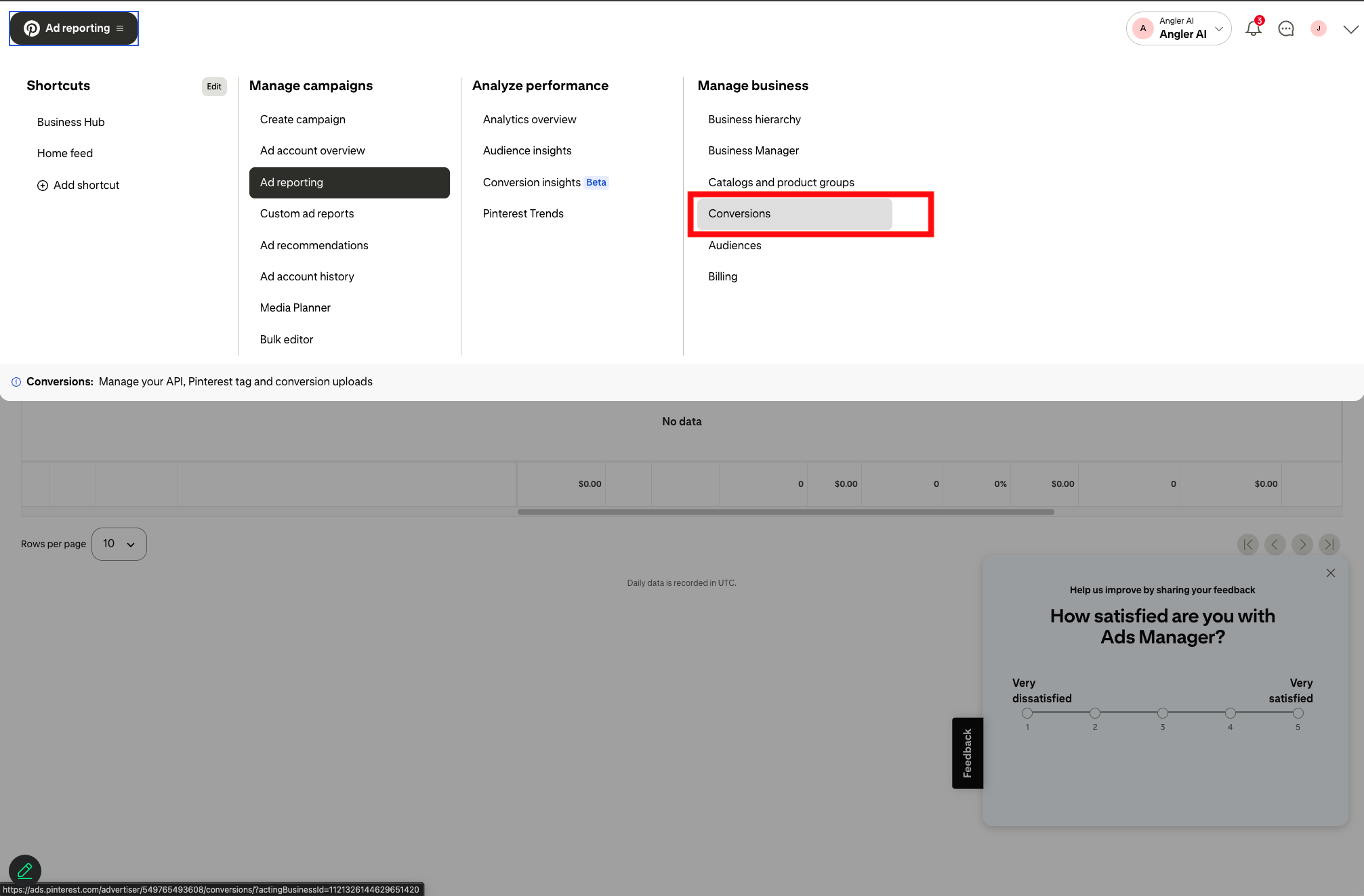
Click the hamburger icon at the top-left of the page.
-
Click Conversions in the Manage business column.
-
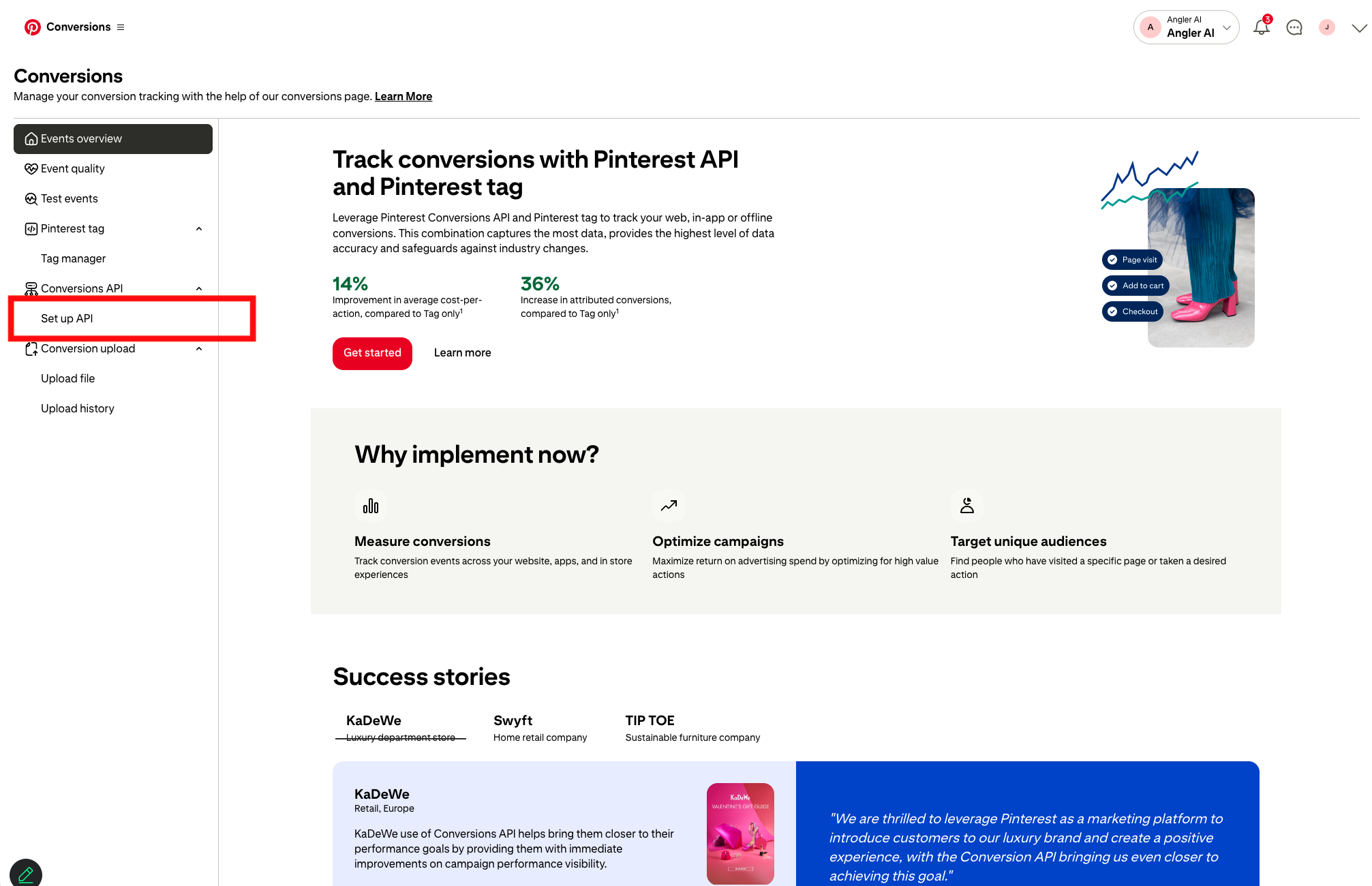
Select Set Up API page from the left hand navigation.
-
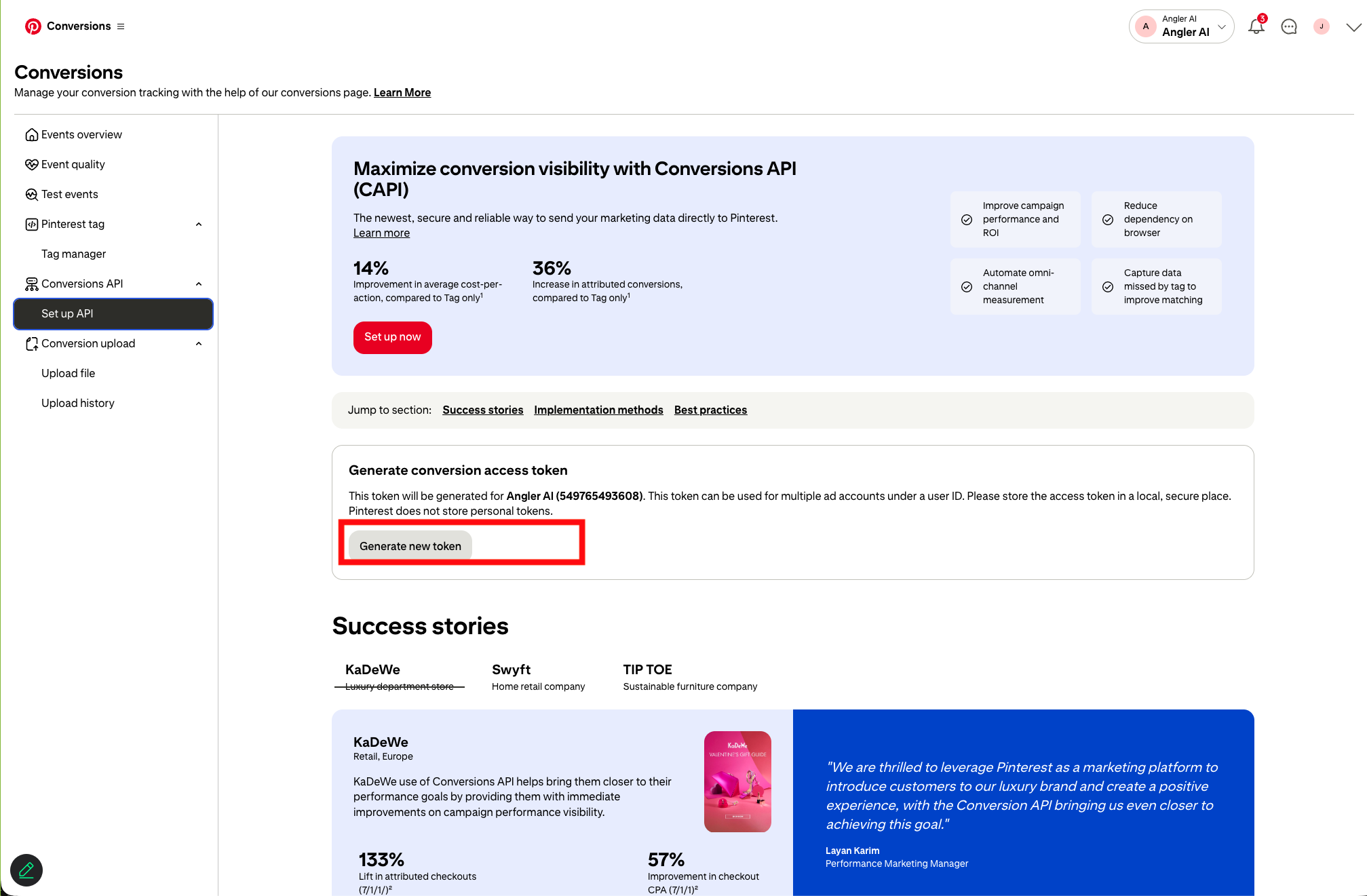
Click the Generate new token button.
-
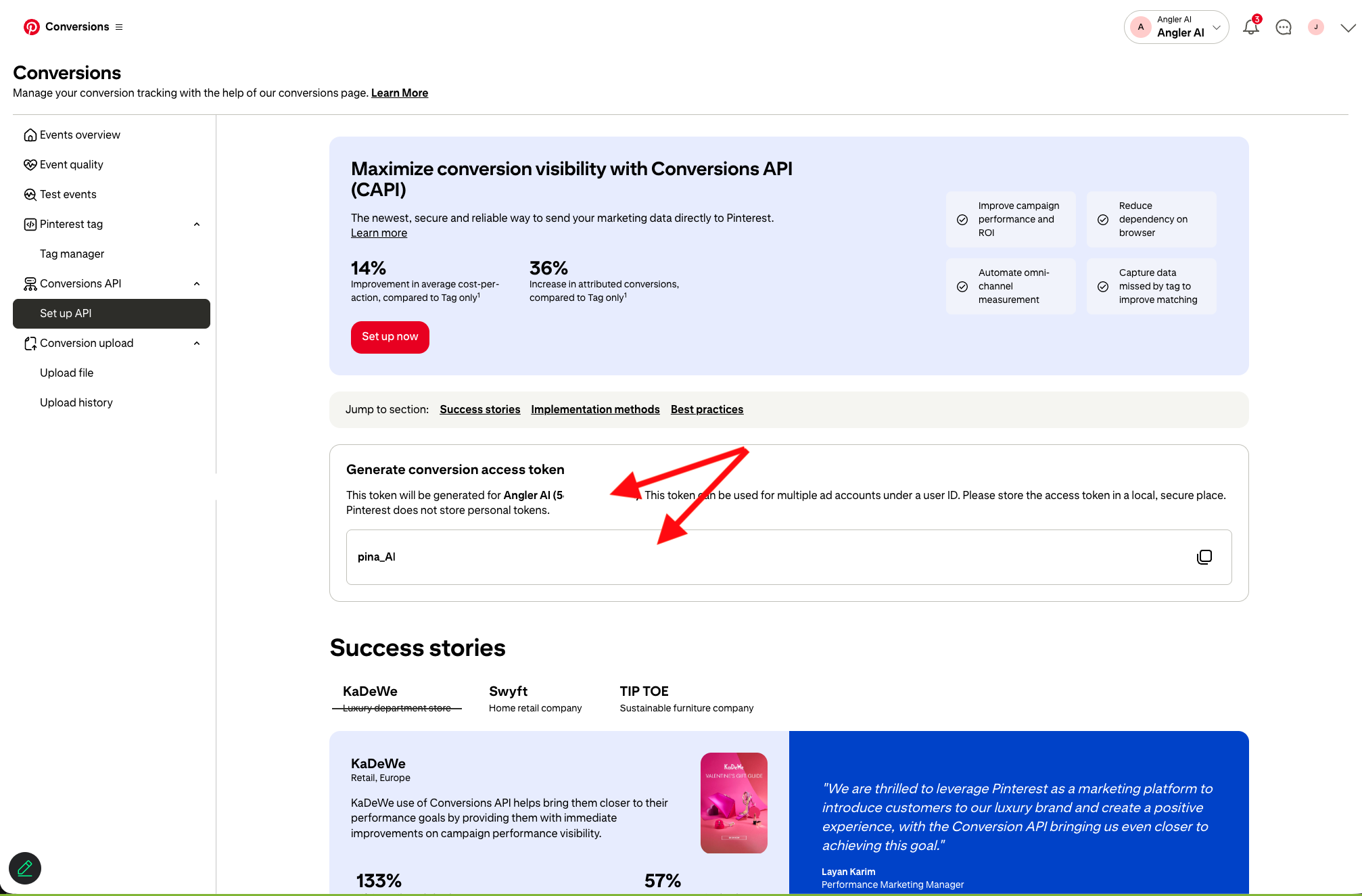
Copy the new access token as well as your account ID and share it with the Angler Team.
Updated 8 months ago
Did this page help you?